 Nattlys
Baby monitor for iPhone and iPad
Two devices.
One calm night.
Nattlys turns two of your own iPhone or iPad devices into a private baby monitor. Full-screen video and sound, an alert when your baby cries, and a calm log of the night. No account, no subscription.
Open the app, pair, done.
No subscription and no ads.
Sound and picture go straight between your devices.
Keeps listening with the screen locked.
How it works
Three steps, and the night can begin.
All you need is two devices on the same Wi-Fi. An older iPhone or iPad from the drawer makes a good baby unit.
-
1
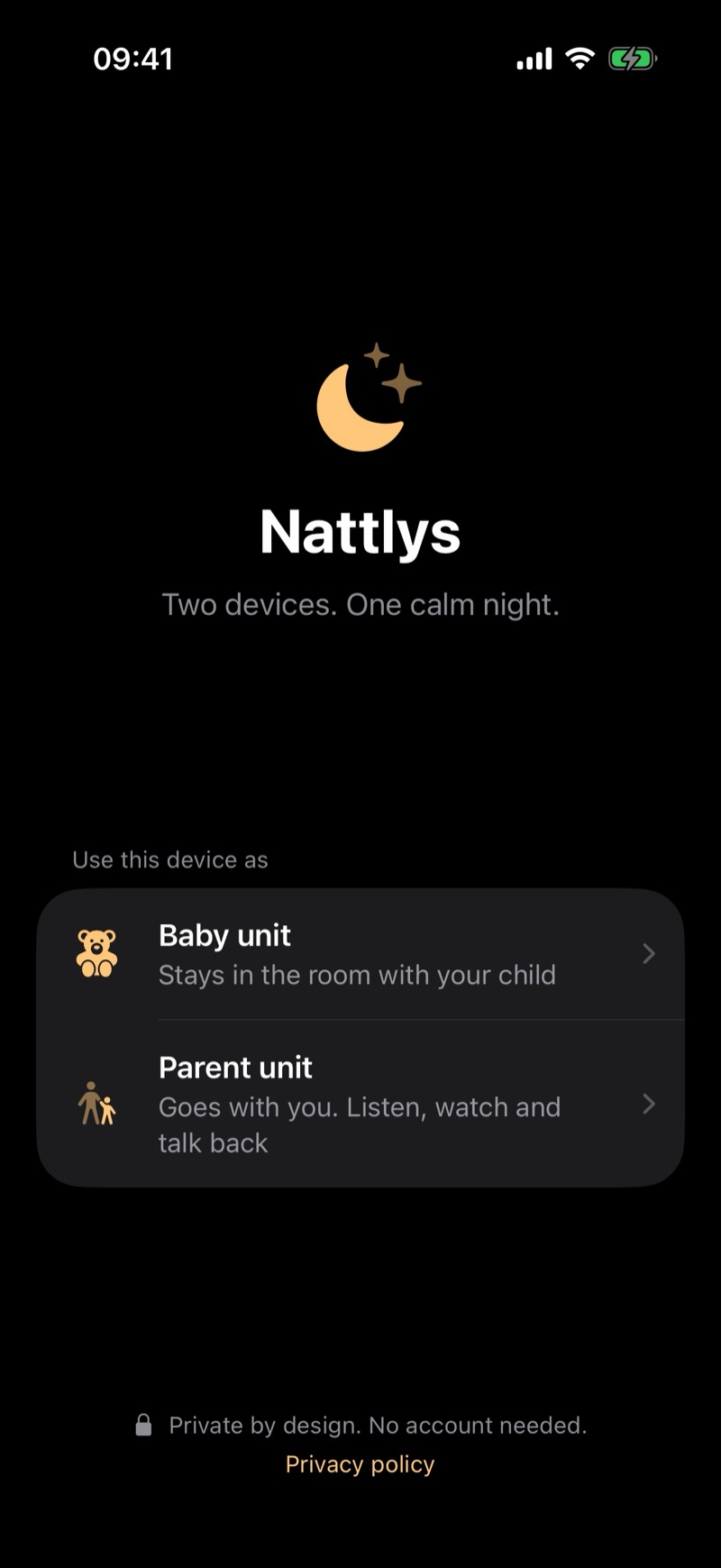
Choose baby unit
Open Nattlys on the device that stays in the nursery and choose Baby unit.
-
2
Pair
Choose Parent unit on your own phone, then scan the QR code or enter the six-digit code.
-
3Thursday 12 November21:04NoahQuietStarted 20:51
Go to bed
Lock your phone if you like. Nattlys keeps listening and lets you know when it matters.
See and hear
The whole screen for what matters most.
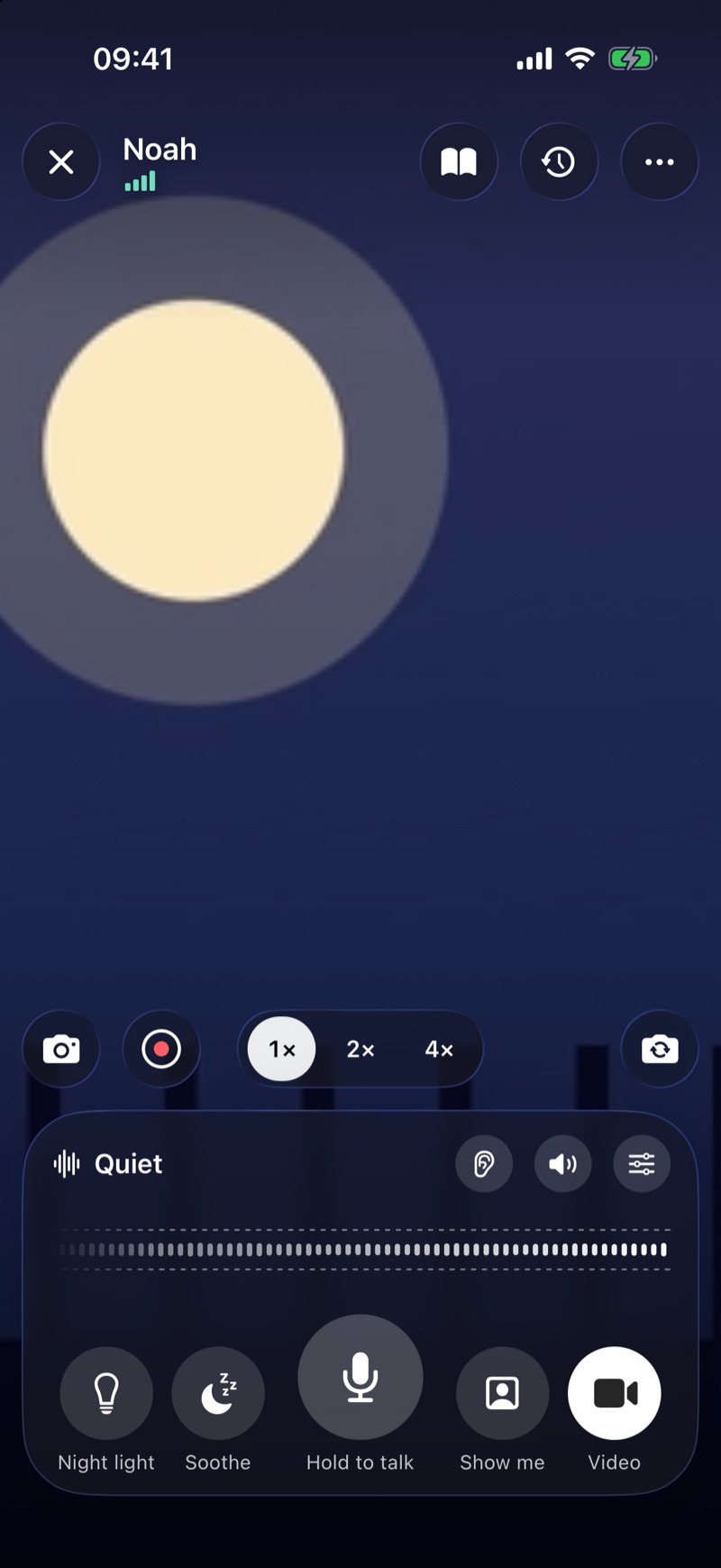
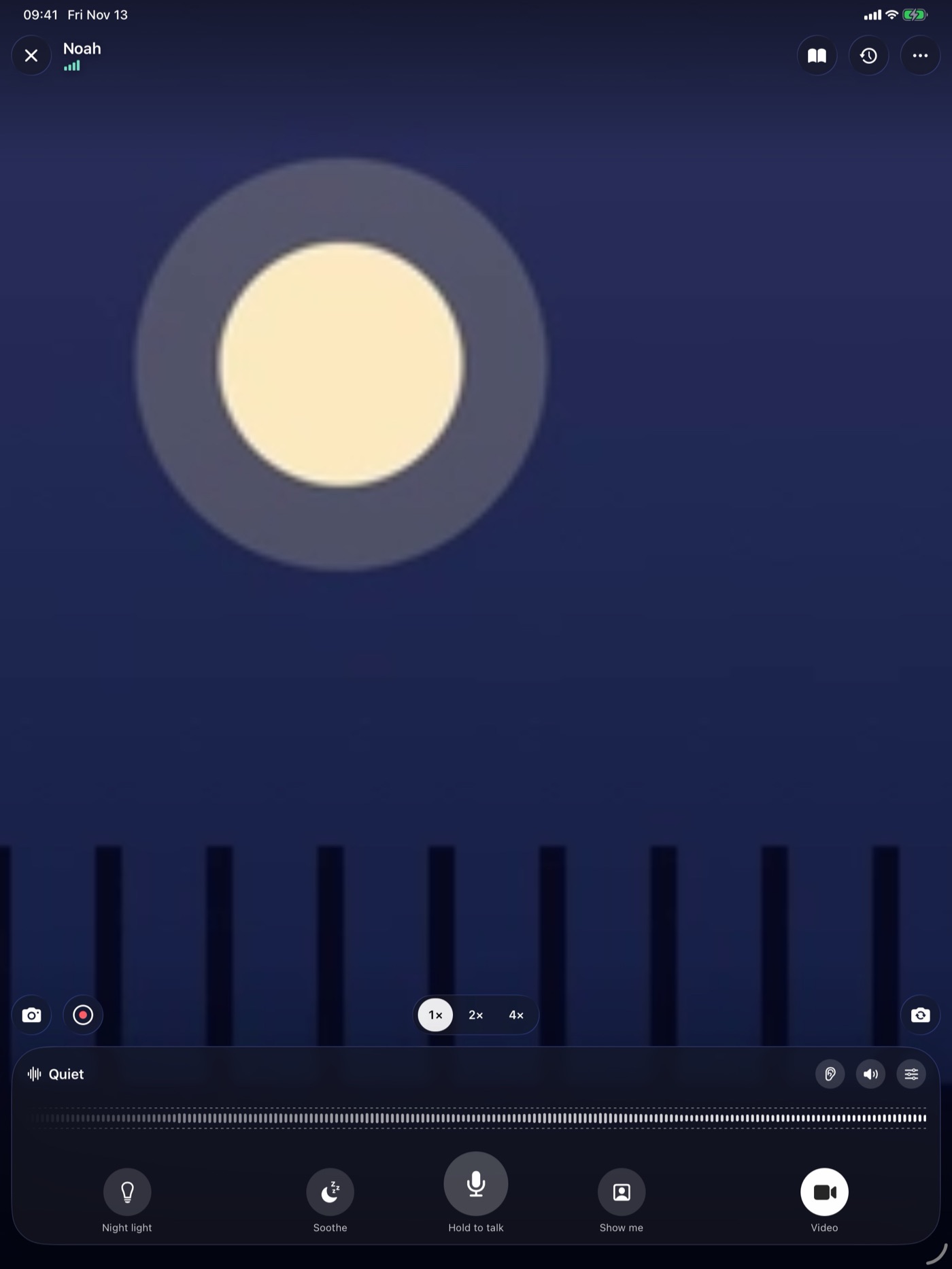
The picture from the nursery fills the screen and is brightened when the room is dark. The sound meter and the buttons sit together at the bottom, where your thumb is.
Night light
A soft light from the baby unit's screen. Switch it on and dim it from here.
Soothe
White noise, lullabies and your own recordings.
Hold to talk
Hold to talk to your baby, or double-tap to keep talking.
Show me
Show your face on the baby unit's screen.
Video
Switch between picture and sound only.
You can also switch camera and zoom from the parent unit, boost the sound to catch the quietest noises, and keep watching in picture in picture while you use other apps.
Alerts
You sleep. Nattlys listens.
You decide how much sound it takes. If your baby cries, the sound goes over your level, or the connection is lost, the parent unit tells you, even with the screen locked.
Illustration of the sound meter: the sound from the nursery goes over the alarm level, and the parent unit shows "Crying detected".
Cry alerts
Nattlys recognises crying and alerts you.
Noise alarm
An alarm when the sound goes over the level you choose.
Movement
A movement alarm when the camera sees something move.
Lost connection
The alarm keeps sounding until the connection is back.
Battery
A notice when the baby unit is off its charger, or when its battery is low.
Locked screen
Keeps listening in the background. Hear every sound, or only when an alarm goes off.
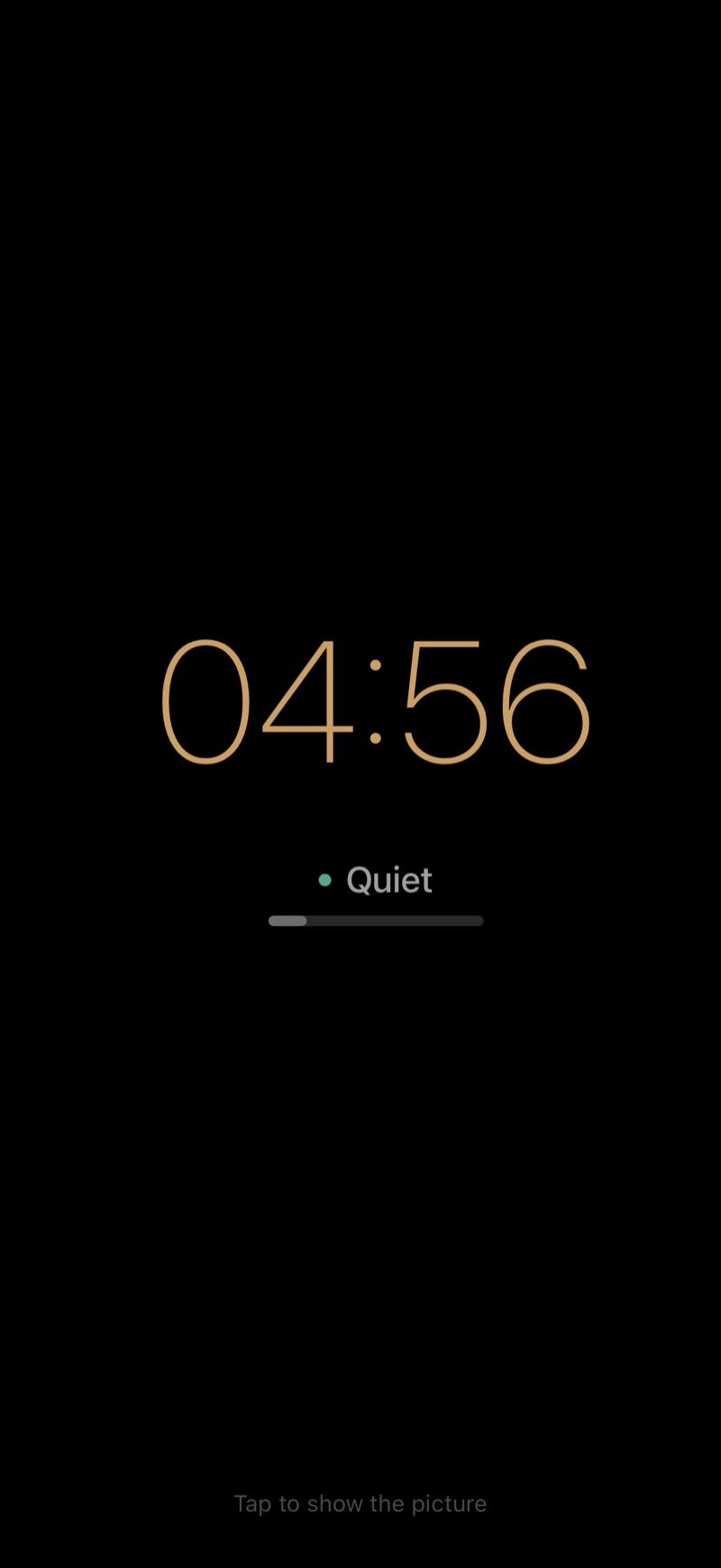
Night mode by the bed.
A black screen and a dim clock, so your phone does not light up the bedroom. The picture comes back by itself when an alarm goes off.
Soothe
Shush, rain or your own voice.
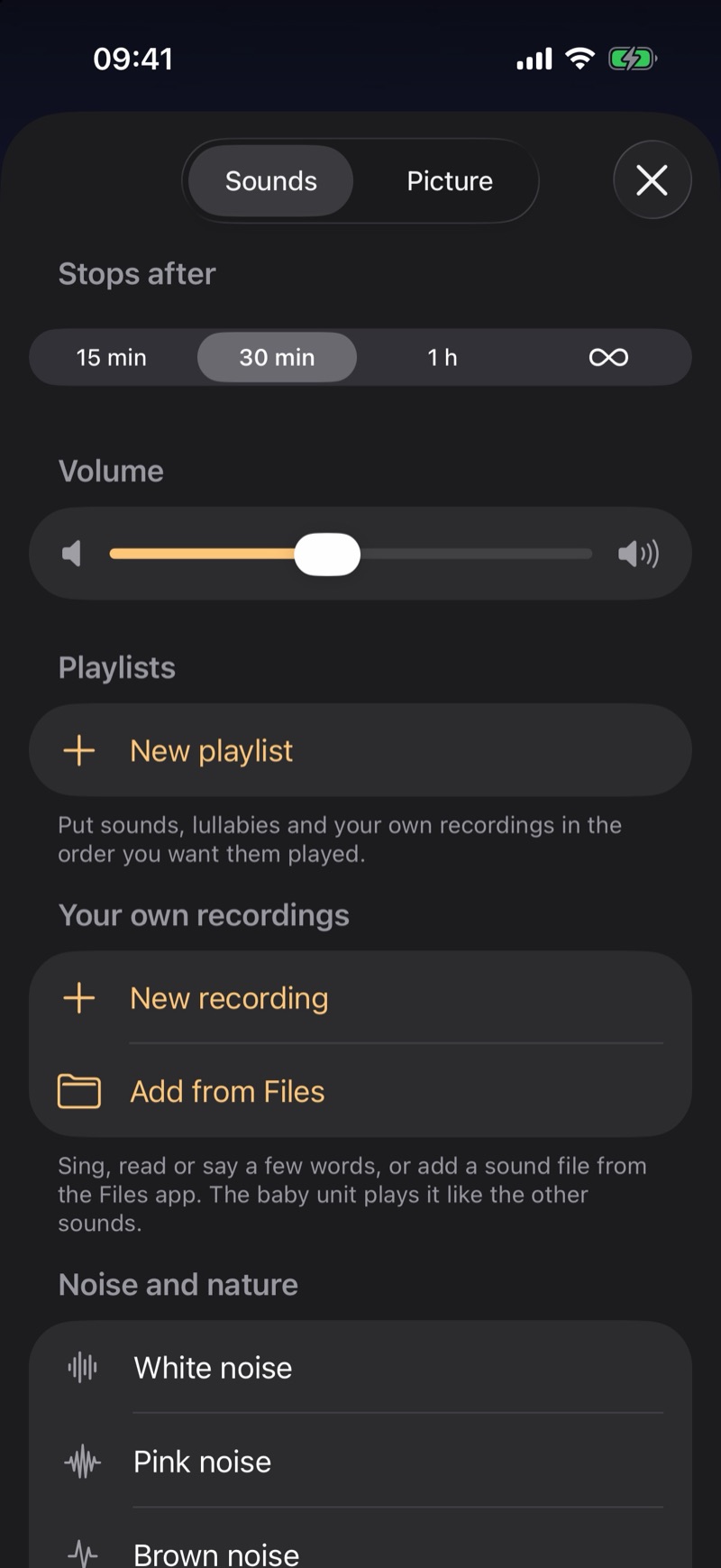
Start soothing sounds on the baby unit from wherever you are. Record yourself singing or reading, or add sound files from the Files app.
White noise· Pink noise· Brown noise· Rain· Ocean· Fan· Heartbeat· Shush· Lullabies
Put the sounds in playlists, and let the sleep timer fade them out after 15 minutes, half an hour or an hour.
Night log
The night, remembered.
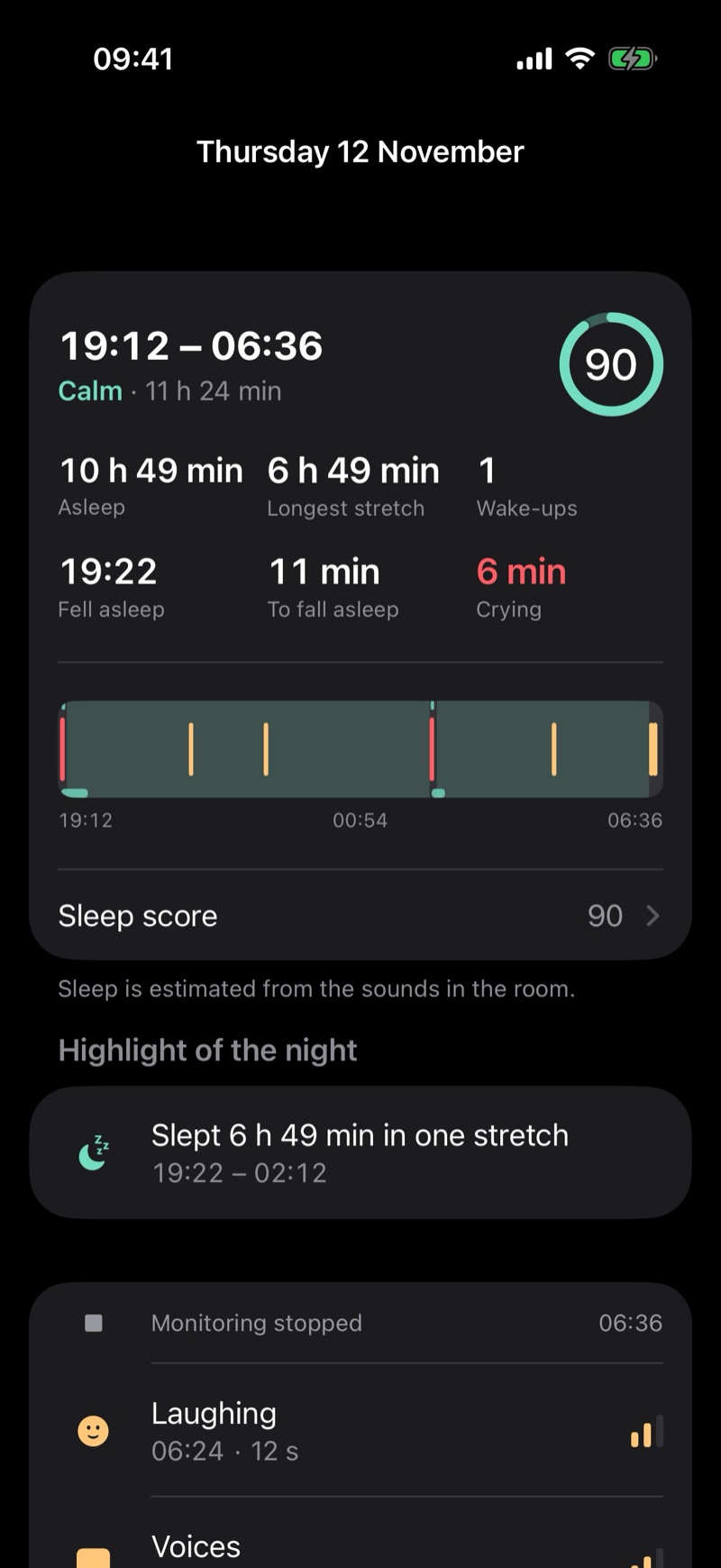
In the morning you see how the night went: when your baby fell asleep, the longest stretch of sleep, and what happened in between, with sounds, pictures and short clips.
- Asleep
- 10 h 49 min
- Longest stretch
- 6 h 49 min
- Wake-ups
- 1
- Fell asleep
- 19:22
- To fall asleep
- 11 min
- Crying
- 6 min
A sleep score every morning, and how the nights go week by week.
Diary
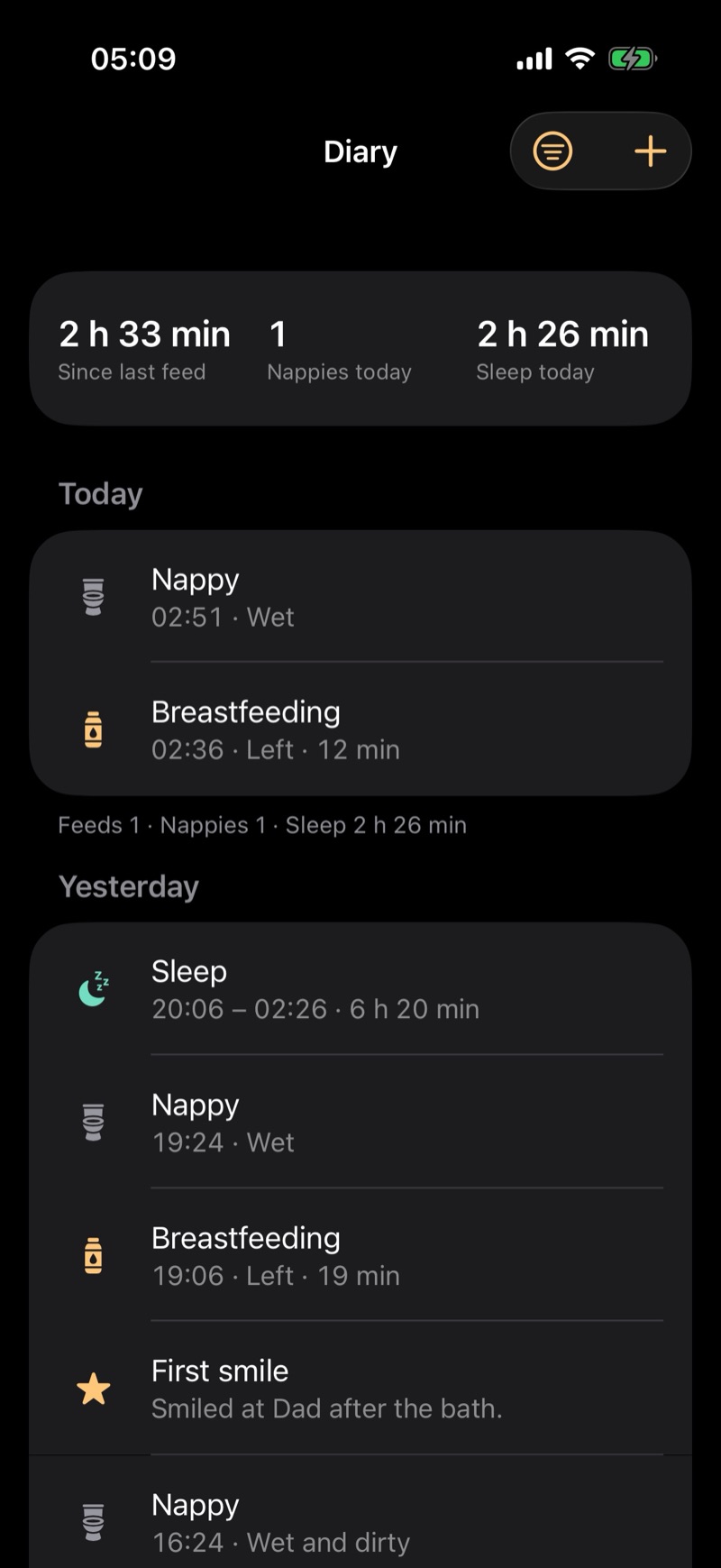
Feeds, nappies and sleep. In one place.
Note feeds, nappy changes, sleep, growth, doctor's visits and milestones. The diary is shared with your other parent units, so you all see the same.
The "Last night" widget on your Home Screen, and a Live Activity on your Lock Screen while you watch.
For the whole family
More parents. More children. One app.
Connect several parent units at once, and give a babysitter or grandparent access that ends by itself when the time is up.
Up to four children
One parent unit can watch up to four children, each on their own baby unit.
Guest access
12 hours, 24 hours, 3 days or a week. When the time is up, what the guest's device received is deleted.
All your devices
Use an iPhone or iPad as the baby unit and another as the parent unit, or several.
Privacy
What happens in the nursery stays at home.
Sound and picture go straight between your devices on your home network, encrypted. Nothing is uploaded to us, and there is no account to make.
No account
You make no user and give no email address. Your devices pair with a code.
No ads or tracking
The app has no advertising, no analytics and no tracking.
It stays on your devices
Nights, recordings and the diary are kept on your devices, not with us.
Price
Pay once. That's it.
Everything is included from day one. No trial that runs out in the middle of the night, and nothing between you and the alarm.
- Every feature, no in-app purchases
- No subscription
- No ads
- All your devicesOne purchase covers every device signed in with the same Apple Account, and your family's with Family Sharing.
What you need
- Two iPhone or iPad devices with iOS or iPadOS 16 or later.
- Both on the same Wi-Fi network. Version 1 works on your home network.
- A charger for the baby unit. A night of monitoring uses a lot of battery.
Not a medical device
Nattlys does not monitor breathing or heart rate, and it cannot prevent sudden infant death syndrome (SIDS). Always follow safe-sleep advice, and keep both devices charged.
Questions
Good to know.
Can I use an old iPhone as the baby unit?
Yes, as long as it has iOS 16 or later. Keep it on its charger all night, at least a metre from the bed.
Does Nattlys work when my phone is locked?
Yes. The parent unit plays the sound from the nursery and sounds the alarms while it is locked, or while you use other apps. If you close the app completely by swiping it away, monitoring stops.
Can I listen when I am away from home?
Not in version 1. Both devices must be on the same Wi-Fi network. If you take the parent unit out, it loses the connection and sounds the alarm.
What happens if the connection is lost?
The parent unit sounds an alarm, and it keeps sounding until the connection is back.
Is there a monthly fee?
No. You pay once and everything is included. There is no subscription and there are no in-app purchases.
Can a babysitter use it?
Yes. Give a babysitter or grandparent access for 12 hours, 24 hours, 3 days or a week. When the time is up, they are removed by themselves.